 Vocal Labs
How to Go From Raw Recording to Radio-Ready Vocal (Step by Step)
The gap between a home recording and a radio-ready vocal isn't mystical. It's a series of specific decisions made in a specific order.
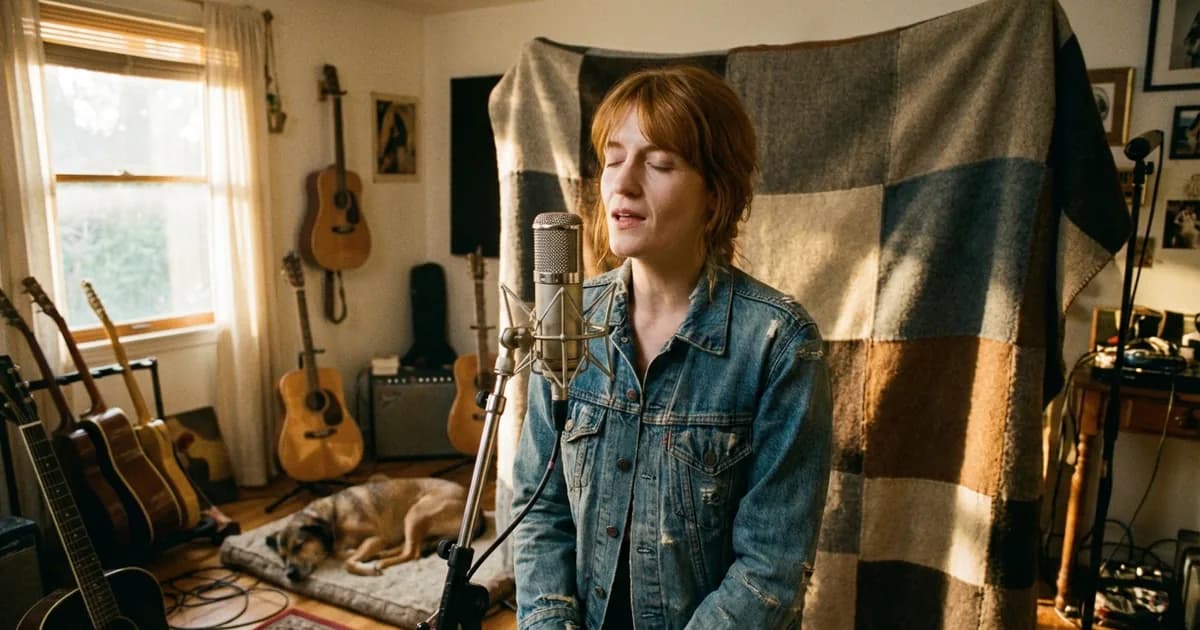
Stage 1: The Room
The most expensive microphone cannot fix bad acoustics after the fact. Reverb and reflections captured in the recording are baked in. Do this before you record anything:
- Move into a closet packed with clothes — fabric absorbs reflections
- Hang moving blankets on the wall directly behind you
- Keep the mic cardioid pattern pointed away from the hardest wall
- Get within 6–8 inches of the capsule — more direct signal, less room
Stage 2: The Performance
A great performance with mediocre processing sounds like music. A mediocre performance with great processing sounds like a produced mediocre performance.
Warm up before you record. Track multiple full takes — beginning to end, every time. Comp ruthlessly: take 2 verse, take 5 hook, take 3 bridge. Use the best moment from each take, not the easiest one to work with.
Stage 3: AI Enhancement (First)
Before you open a compressor or EQ, run the raw vocal through VocalEnhancer.
Home recordings have artifacts that are hard to hear in isolation but obvious in a mix — low-level room noise, proximity buildup, clarity issues in consonants. VocalEnhancer's AI model identifies these specifically and corrects them based on what's actually in your file.
Upload the raw vocal. Download the enhanced version. That file goes into the mix. Enhance before processing — not after. Applying EQ and compression to a noisy file locks that noise into your chain.
Stage 4: The Preset Chain
With a clean, enhanced vocal, load your preset and you're 70–80% done before you touch a single knob.
VocalPresets.com organizes presets by DAW and genre. Find one from a producer making music in your lane — the enhanced vocal plus the right preset gets you in the right ballpark immediately. From there you're tuning: compressor threshold, specific EQ cuts, reverb wet/dry.
Stage 5: AI Vocal Transformation
Once you have a mixed, production-quality vocal, VocalPresets.ai lets you transform it into something new — different timbre, different character — while retaining your pitch and performance.
Use this for harmonies that sound related but genuinely distinct, AI doubles that sit differently in the stereo field, or exploring different vocal aesthetics before committing to the final mix.
The Complete Path
| Stage | What You Do | Tool |
|---|---|---|
| 1. Room | Treat acoustic environment | DIY + materials |
| 2. Performance | Multiple takes, ruthless comp | Your DAW |
| 3. Enhance | AI noise and clarity pass | VocalEnhancer.com |
| 4. Preset | Genre-matched chain, tuned | VocalPresets.com |
| 5. Transform | AI character for harmonies/doubles | VocalPresets.ai |
Most home producers are doing stages 1, 2, and 4. Add stages 3 and 5 and the gap between home recording and radio-ready closes significantly.
Start with the enhancement pass
Upload a raw vocal. Clean it up in under a minute. Free to try.
Try VocalEnhancer free →